Categories
Solutions Trends Web Development

How to Choose the Right Tech Stack for Your Web App (2025 Guide)

In today’s fast-moving digital economy, building a powerful web application starts with one critical decision: choosing the right tech stack. This choice not only affects how your app performs but also how quickly it launches, how scalable it is, and how easy it is to maintain and grow.

At Digixtial Technologies, we’ve helped businesses of all sizes—from startups to enterprises—build successful web apps using modern, scalable technology. In this guide, we break down everything you need to know to make an informed decision.

What is a Tech Stack?

A tech stack is the combination of programming languages, frameworks, libraries, tools, and services used to build and run your web application. It typically includes:

1. Frontend (Client-Side)

What users interact with directly — includes the layout, design, and responsive elements.
Popular frontend tools:

  • HTML, CSS, JavaScript
  • Frameworks: React.js, Vue.js, Next.js, Angular

2. Backend (Server-Side)

Handles logic, authentication, database operations, etc.
Popular backend stacks:

  • Node.js, Express.js
  • Python (Django, Flask)
  • Ruby on Rails
  • PHP (Laravel)

3. Database

Stores your application’s data.
Options include:

  • Relational: MySQL, PostgreSQL
  • NoSQL: MongoDB, Firebase, DynamoDB

4. DevOps & Hosting

Infrastructure and deployment tools:

  • Cloud: AWS, DigitalOcean, Vercel, Azure
  • CI/CD: GitHub Actions, Jenkins
  • Containerization: Docker, Kubernetes

Step-by-Step Guide to Choosing the Right Tech Stack

Step 1: Define Your Project Requirements

Ask yourself:

  • What kind of app are you building? (MVP, SaaS, eCommerce, internal tool)
  • Do you need real-time features like chat or live notifications?
  • What’s your timeline and budget?
  • What are your scalability expectations?
  • Example: If you’re building a fast MVP, a full JavaScript stack like Next.js + Node.js + MongoDB could speed up development.

Step 2: Consider Developer Availability & Community Support

Choose technologies with:

  • A strong developer community
  • Rich documentation
  • Active support and regular updates
  • Why it matters: If you pick an obscure or outdated technology, it may be difficult to find developers or maintain the project long-term.

Step 3: Focus on Scalability & Performance

Your tech stack should support:

  • Horizontal scalability (more users, more traffic)
  • Vertical scalability (more features, more complexity)
  • Example: If you expect high traffic and real-time data, choose Node.js or Go for backend and a NoSQL database like MongoDB for flexible data handling.

Step 4: Match the Stack to Your Team’s Expertise

If you already have an in-house team or long-term partner (like Digixtial Technologies ), use a stack they’re confident with — unless there’s a clear need to pivot.

Step 5: Evaluate Third-Party Integrations & Ecosystem

Check how easily the stack integrates with:

  • Payment gateways (e.g., Stripe, Razorpay)
  • CMS (e.g., Strapi, Sanity)
  • Analytics tools
  • Authentication providers (e.g., Firebase, Auth0)

Pro tip: Next.js works well with headless CMS and is great for SEO-friendly apps.

Popular Tech Stack Combinations

Use CaseFrontendBackendDatabaseHosting
MVP / Startup AppNext.jsNode.jsMongoDBVercel / Heroku
eCommerce AppReact.jsLaravel / NodeMySQLAWS / DigitalOcean
Enterprise Web AppAngular.NET / JavaPostgreSQLAzure / AWS
Real-Time App (Chat)Vue.jsNode.js (Socket.io)Firebase / MongoDBFirebase / Render

Why Digixtial?

At Digixtial, we help you:

  • Select the optimal tech stack tailored to your business goals
  • Build scalable, secure, and high-performance applications
  • Maintain and upgrade your apps for future growth

Whether you’re a startup founder building an MVP or a business modernizing a legacy system, we ensure your technology choices are aligned with your success.

Categories
Solutions Trends Web Development

Revolutionizing Education with an LMS Portal: A Complete Guide

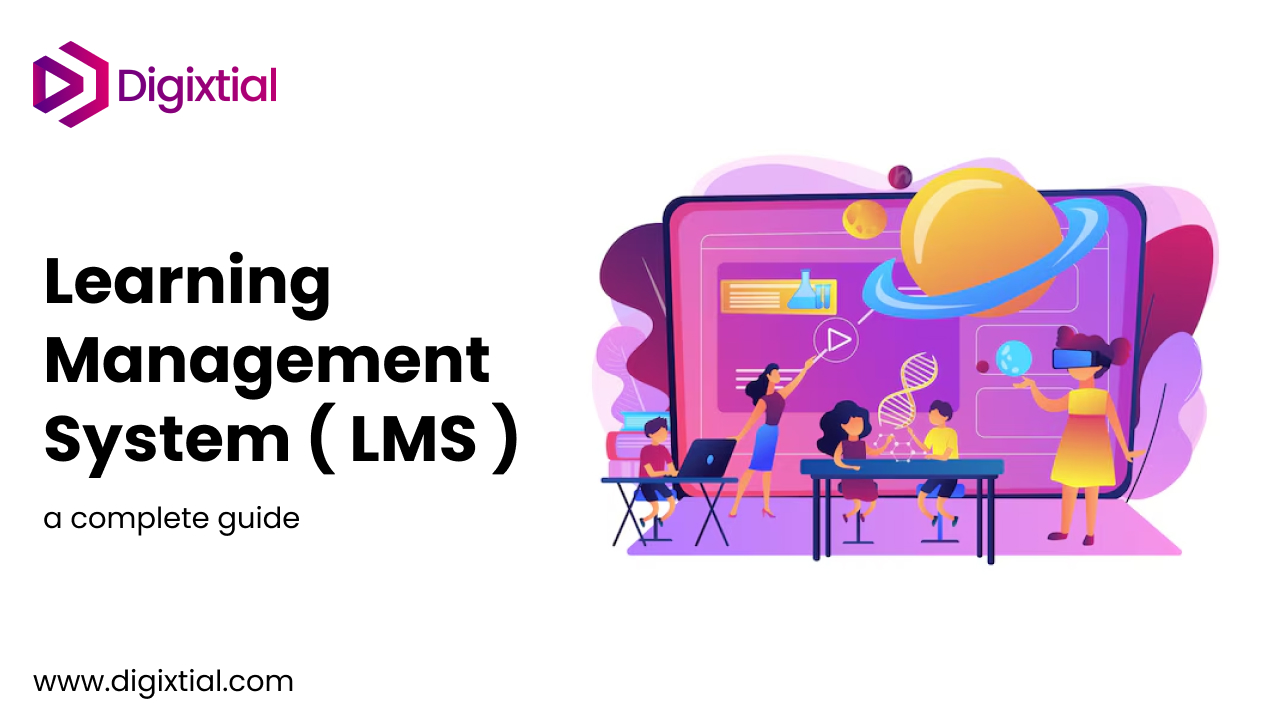
In the digital age, the way we learn and teach has transformed dramatically. Learning Management Systems (LMS) are at the forefront of this revolution, empowering educational institutions, businesses, and individual learners with robust platforms to create, manage, and deliver educational content.

If you’re considering integrating an LMS portal into your organization or school, here’s everything you need to know.


What is an LMS Portal?

A Learning Management System (LMS) portal is a digital platform designed to facilitate the administration, documentation, tracking, reporting, and delivery of educational courses or training programs. It bridges the gap between instructors and learners, providing tools for interactive learning, assessments, and real-time progress tracking.


Key Features of an LMS Portal

  1. User-Friendly Interface
    A good LMS portal should be intuitive and easy to navigate for both instructors and learners. Features like a clean dashboard, organized course materials, and simple navigation enhance user experience.
  2. Customizable Learning Paths
    Personalization is key. Learners can progress at their own pace, access tailored content, and meet specific learning objectives through individualized learning paths.
  3. Content Management System (CMS)
    Upload, manage, and organize content effortlessly. An LMS portal supports various formats, including videos, PDFs, quizzes, and SCORM files, ensuring diverse learning resources.
  4. Interactive Learning Tools
    Foster engagement through discussion forums, live sessions, polls, and gamification elements like badges and leaderboards.
  5. Analytics and Reporting
    Gain insights into learner performance with detailed analytics. Monitor participation rates, assessment scores, and time spent on each module.
  6. Mobile Accessibility
    An LMS should offer a seamless mobile experience, allowing learners to access courses anytime, anywhere.
  7. Integration Capabilities
    Modern LMS portals can integrate with third-party tools like Zoom, Microsoft Teams, or HR systems, ensuring a streamlined workflow.

Benefits of Using an LMS Portal

  1. Cost Efficiency
    Reduces the cost of physical materials, classrooms, and travel while expanding reach to a global audience.
  2. Flexibility and Convenience
    Learners can access materials at their convenience, balancing education with other commitments.
  3. Improved Engagement
    Interactive tools and multimedia content keep learners motivated and involved.
  4. Centralized Knowledge Hub
    Store all educational content in one secure, easily accessible place.
  5. Scalable Learning
    Whether you’re training 10 employees or 10,000 students, an LMS scales effortlessly to meet your needs.

Applications of LMS Portals

  1. Corporate Training
    Businesses use LMS portals for onboarding, skill development, and compliance training.
  2. Educational Institutions
    Schools and universities deliver online courses, supplement classroom learning, and manage certifications.
  3. Professional Development
    Professionals use LMS platforms to acquire certifications, learn new skills, or stay updated in their fields.
  4. Non-Profit Organizations
    NGOs can educate volunteers and spread awareness on key issues through LMS portals.

Choosing the Right LMS Portal

When selecting an LMS for your needs, consider:

  • Scalability: Will it grow with your needs?
  • Support: Does the vendor offer reliable customer support?
  • Customization: Can you adapt the platform to match your branding and specific needs?
  • Cost: Does the pricing align with your budget while delivering value?

The Future of LMS Portals

The future of LMS portals lies in AI-driven personalization, immersive learning experiences via AR/VR, and enhanced data analytics. These advancements will further enrich the learning journey, making education more accessible and effective.


An LMS portal is not just a tool; it’s a gateway to limitless learning possibilities. Whether you’re an educator, a business leader, or a lifelong learner, embracing an LMS can be the catalyst for growth and success.

Ready to take the leap? Start exploring LMS platforms that align with your vision today!

Categories
Trends Web Development

What is Headless WordPress?

WordPress has long been the go-to platform for creating and managing websites, powering over 40% of all websites on the internet. Traditionally, WordPress functions as a monolithic system, where the backend (content management) and frontend (how the content is displayed) are tightly coupled. However, in recent years, the concept of Headless WordPress has gained significant traction. But what exactly does “headless” mean in this context, and why is it becoming so popular? Let’s dive in.


Understanding Headless WordPress

In a traditional WordPress setup, the CMS handles both:

  1. Content Management: Through its admin dashboard.
  2. Frontend Rendering: Via themes and templates that determine how the site looks.

Headless WordPress separates these two functions. It uses WordPress solely for content management and relies on an external framework or technology for the frontend.

The term “headless” refers to the absence of the “head” (the frontend) in the system. The WordPress backend serves as a content API that delivers data, typically via REST API or GraphQL, which a frontend application consumes to display the content.

What is Headless WordPress?

WordPress has long been the go-to platform for creating and managing websites, powering over 40% of all websites on the internet. Traditionally, WordPress functions as a monolithic system, where the backend (content management) and frontend (how the content is displayed) are tightly coupled. However, in recent years, the concept of Headless WordPress has gained significant traction. But what exactly does “headless” mean in this context, and why is it becoming so popular? Let’s dive in.

Want to Convert your WordPress Website to Headless WordPress ?


Understanding Headless WordPress

In a traditional WordPress setup, the CMS handles both:

  1. Content Management: Through its admin dashboard.
  2. Frontend Rendering: Via themes and templates that determine how the site looks.

Headless WordPress separates these two functions. It uses WordPress solely for content management and relies on an external framework or technology for the frontend.

The term “headless” refers to the absence of the “head” (the frontend) in the system. The WordPress backend serves as a content API that delivers data, typically via REST API or GraphQL, which a frontend application consumes to display the content.


How Headless WordPress Works

In a headless architecture:

  1. WordPress Backend: You create and manage content in the WordPress admin panel, as usual.
  2. API Integration: WordPress provides the content through its REST API or GraphQL API.
  3. Frontend: Developers use modern technologies like React, Next.js, Gatsby, Vue.js, or even a mobile app to fetch and render the content.

The backend and frontend are decoupled, allowing each to operate independently.

Key Benefits of Headless WordPress

  1. Performance Optimization
    By using modern frameworks like Next.js or Gatsby for the frontend, headless WordPress sites can deliver faster load times, better caching, and more efficient performance.
  2. Enhanced Scalability
    Headless architecture supports multi-channel publishing, allowing you to deliver content to websites, mobile apps, smart devices, or any platform that can consume an API.
  3. Improved Security
    Since the frontend and backend are separated, the WordPress admin area can be isolated, reducing the risk of typical WordPress vulnerabilities like plugin exploits.
  4. Customizable Frontend
    Developers can use any technology to design and build the frontend, free from the limitations of traditional WordPress themes.
  5. Future-Proofing
    By decoupling the CMS and frontend, you can adapt to new technologies without overhauling your entire system.

Drawbacks of Headless WordPress

While headless WordPress offers many benefits, it’s not without its challenges:

  1. Increased Complexity
    Building a headless WordPress site requires technical expertise in both backend APIs and modern frontend frameworks.
  2. Loss of Native Features
    Features like the WordPress Customizer, themes, and plugins tied to the frontend won’t work in a headless setup.
  3. Higher Development Costs
    Developing a decoupled system can be more time-consuming and costly than a traditional WordPress site.
  4. Content Preview Challenges
    Previewing content in a headless setup is more complex and requires additional tools or custom solutions.

When Should You Use Headless WordPress?

Headless WordPress is a great choice for:

  • Large-Scale Projects: Websites with high traffic or requiring advanced performance optimization.
  • Multi-Channel Publishing: Organizations delivering content across multiple platforms.
  • Custom Frontend Needs: Projects requiring a highly customized user experience.
  • Tech-Savvy Teams: Companies with experienced developers comfortable with modern frameworks.

However, for smaller projects or users without development expertise, traditional WordPress is often sufficient and more cost-effective.


Tools and Technologies for Headless WordPress

To implement headless WordPress, you may use:

  • API: WordPress REST API or GraphQL plugins (like WPGraphQL).
  • Frontend Frameworks: React, Next.js, Gatsby, Vue.js, or Angular.
  • Static Site Generators: Gatsby or Next.js for building fast, static websites.
  • Hosting Platforms: Vercel, Netlify, or AWS to host the frontend.

Conclusion

Headless WordPress is revolutionizing how we think about content management and delivery. By decoupling the frontend from the backend, it unlocks a new level of flexibility, scalability, and performance. However, it’s not a one-size-fits-all solution. Understanding your project’s needs and weighing the pros and cons is crucial before deciding to go headless.

If you’re looking to build a cutting-edge web experience or expand your content to multiple platforms, headless WordPress could be the perfect solution. For smaller or less technical projects, traditional WordPress remains a powerful and user-friendly option.

Categories
Artificial Intelligence

The Future of AI in Business: How Automation is Transforming Industries

Introduction

Artificial Intelligence (AI) is no longer just a buzzword. It’s rapidly transforming industries and revolutionizing how businesses operate. From healthcare to finance, AI technologies are enabling smarter decisions, enhancing productivity, and automating tasks that once took hours or even days. But what does the future hold for AI in business? Let’s dive into how automation and AI are shaping the future of industries across the globe.

The Impact of AI in Various Industries

1. Healthcare: AI is making remarkable strides in healthcare. With machine learning algorithms, doctors can now analyze medical images, predict patient outcomes, and provide more accurate diagnoses. AI-powered tools also help with administrative tasks, improving efficiency in hospitals and clinics.

2. Finance: In the financial sector, AI is revolutionizing fraud detection, risk management, and customer service. Algorithms can monitor transactions in real-time to flag unusual behavior, helping institutions prevent fraud before it happens. AI chatbots are also providing personalized financial advice to customers, improving client relationships and lowering operational costs.

3. Retail: AI in retail is enhancing the customer experience by offering personalized recommendations based on shopping habits. Retailers are using AI-driven analytics to optimize supply chains, predict demand, and manage inventory more efficiently. Automated checkout systems and AI-powered customer service bots are also changing the way we shop.

The Role of Automation

AI is driving automation, which can significantly improve efficiency and reduce costs. From automated manufacturing processes to AI-driven customer support systems, automation allows businesses to focus on what matters most—growth and innovation. In customer service, for example, chatbots can handle inquiries 24/7, providing faster responses and freeing up human agents to tackle more complex issues.

The Challenges of AI Integration

While AI holds immense potential, its implementation isn’t without challenges. Data privacy and security concerns are at the forefront, especially in industries like healthcare and finance. Moreover, businesses need to invest in the right infrastructure and training to ensure AI systems are used effectively. There is also the issue of AI replacing jobs, which raises ethical concerns that companies need to address.

Conclusion

The future of AI in business is undoubtedly bright. As automation continues to evolve, businesses that embrace AI technologies will be better positioned to stay competitive in an increasingly digital world. By leveraging AI, industries can not only streamline their operations but also unlock new opportunities for growth and innovation.

Categories
Security

5 Essential Cybersecurity Practices Every Business Should Adopt in 2024

Introduction

Cybersecurity is a growing concern for businesses worldwide. With data breaches, cyberattacks, and privacy violations becoming more frequent and sophisticated, it’s more important than ever to adopt strong security practices. In 2024, businesses must be proactive in protecting their digital assets. Here are five essential cybersecurity practices every business should implement this year.

1. Multi-Factor Authentication (MFA)

Multi-factor authentication is one of the most effective ways to secure your business from cyber threats. By requiring multiple forms of verification (such as a password and a code sent to your phone), MFA adds an extra layer of protection to sensitive data. This makes it much harder for attackers to gain unauthorized access to your systems, even if they manage to obtain login credentials.

2. Regular Security Audits

Conducting regular security audits helps businesses identify vulnerabilities and address them before they can be exploited. Security audits should include testing your network for weaknesses, reviewing access controls, and ensuring your software is up to date. A regular audit cycle ensures that your security measures evolve with new threats.

3. Employee Training

Humans remain the weakest link in cybersecurity. Phishing attacks, weak passwords, and social engineering schemes often exploit employees’ lack of awareness. Providing cybersecurity training to employees helps them recognize potential threats and follow best practices for data protection. Educating staff on the importance of strong passwords, recognizing phishing emails, and avoiding risky online behavior is essential in preventing breaches.

4. Data Encryption

Encrypting sensitive data is one of the best ways to protect it from unauthorized access. Whether data is stored on your servers or transmitted over the internet, encryption ensures that even if attackers intercept it, they cannot read or use the information. Encryption is particularly important for financial transactions, customer data, and intellectual property.

5. Backup and Disaster Recovery Plan

Having a comprehensive backup and disaster recovery plan is crucial in case of a cyberattack or system failure. Regularly backing up important files ensures that if your systems are compromised, you can quickly restore your data. A disaster recovery plan outlines the steps to take during and after an attack, ensuring minimal disruption to business operations.

Conclusion

As cyber threats continue to evolve, so too must your business’s cybersecurity practices. By adopting these five essential practices—multi-factor authentication, regular security audits, employee training, data encryption, and a disaster recovery plan—your business will be well-equipped to prevent and respond to cyber threats in 2024.

Categories
Cloud

How Cloud Computing is Empowering Startups to Scale Faster

Introduction

Cloud computing has revolutionized how businesses operate, especially for startups. In a world where speed and agility are crucial to success, cloud technology has provided companies with the flexibility they need to scale rapidly. Let’s explore how cloud computing is empowering startups to grow faster and more efficiently.

1. Cost Efficiency

One of the most significant advantages of cloud computing is its cost efficiency. Startups often struggle with managing operational costs, but with the cloud, businesses only pay for the resources they use. There’s no need for expensive hardware or IT infrastructure—everything is hosted in the cloud, reducing upfront costs and making it easier to scale as your business grows.

2. Scalability

The cloud offers virtually unlimited scalability. As your startup expands, you can easily increase storage, processing power, and bandwidth without having to worry about physical limitations. This flexibility allows businesses to grow without the need for major investments in hardware or software upgrades, enabling them to adapt quickly to changing demands.

3. Remote Accessibility

Cloud computing enables startups to operate remotely with ease. Employees can access data, tools, and applications from anywhere, whether they are working from the office, home, or on the go. This accessibility enhances collaboration, productivity, and agility, as teams can work together in real-time, regardless of location.

4. Enhanced Collaboration

Cloud-based tools improve collaboration within startup teams. With cloud storage and project management software, teams can collaborate seamlessly on documents, share files, and track progress in real time. These tools streamline workflows and ensure that everyone is on the same page, reducing bottlenecks and increasing efficiency.

5. Security

Many startups worry about the security of their data in the cloud. However, reputable cloud service providers offer robust security measures, including encryption, firewalls, and access control. Additionally, most cloud providers ensure data is backed up regularly and stored in multiple locations, providing an extra layer of protection in case of system failures or natural disasters.

Conclusion

Cloud computing has become a game-changer for startups looking to scale quickly and efficiently. With cost savings, scalability, remote accessibility, and enhanced collaboration, the cloud is enabling businesses to focus on innovation and growth while minimizing operational challenges. If you haven’t embraced the cloud yet, now is the perfect time to make the transition and position your startup for success.